Table of Contents
Bible Loop: User Profiles
Personalize your Bible Loop experience, track your progress, and compete on the weekly leaderboard.

Table of Contents
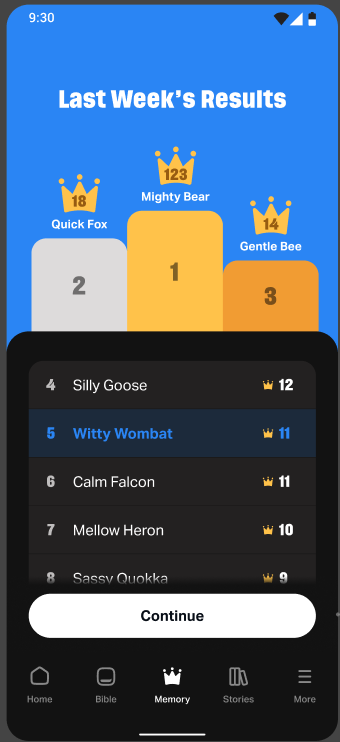
A User Profile lets you personalize your Bible Loop experience, track your progress, and compete on the weekly leaderboard. You can start using Bible Loop without a profile, but creating one unlocks more ways to stay motivated in your daily walk with God.
What Is a User Profile?
When you create a profile, you choose a display name, share a little about yourself, and get access to features like the weekly leaderboard. Your profile is tied to your Bible Loop account and lets you track your Streak and Verses Mastered over time.
How to Create a Profile
- Tap Create a Profile wherever you see it in the app.
- Enter your age when prompted and tap Next.
- Pick a display name (or tap Randomize to get a suggestion) and tap Next.
- You'll see a welcome screen with your new display name — you're all set!
After creating your profile, you'll land on the Memory tab to start memorizing Scripture right away.
How to Pick a Display Name
Your display name is how you'll appear to others in Bible Loop. You won't be able to change it later, so choose one that feels right! You can pick from the suggested names or tap Randomize to see a new option.
Where You'll Be Prompted to Create a Profile
Bible Loop invites you to create a profile in a few different places:
- More Tab — Tap More at the bottom of the screen. At the top, you'll see a prompt to share a few details and finish creating your profile.
- Announcement Pop-Up — After using the app for a few days, a pop-up may appear highlighting the weekly leaderboard and inviting you to create a profile to join.
- After Mastering a Verse — When you master a Memory Verse, a celebration screen appears. Tap Continue to be prompted to create a profile and join the leaderboard.
What You Can Do With a Profile
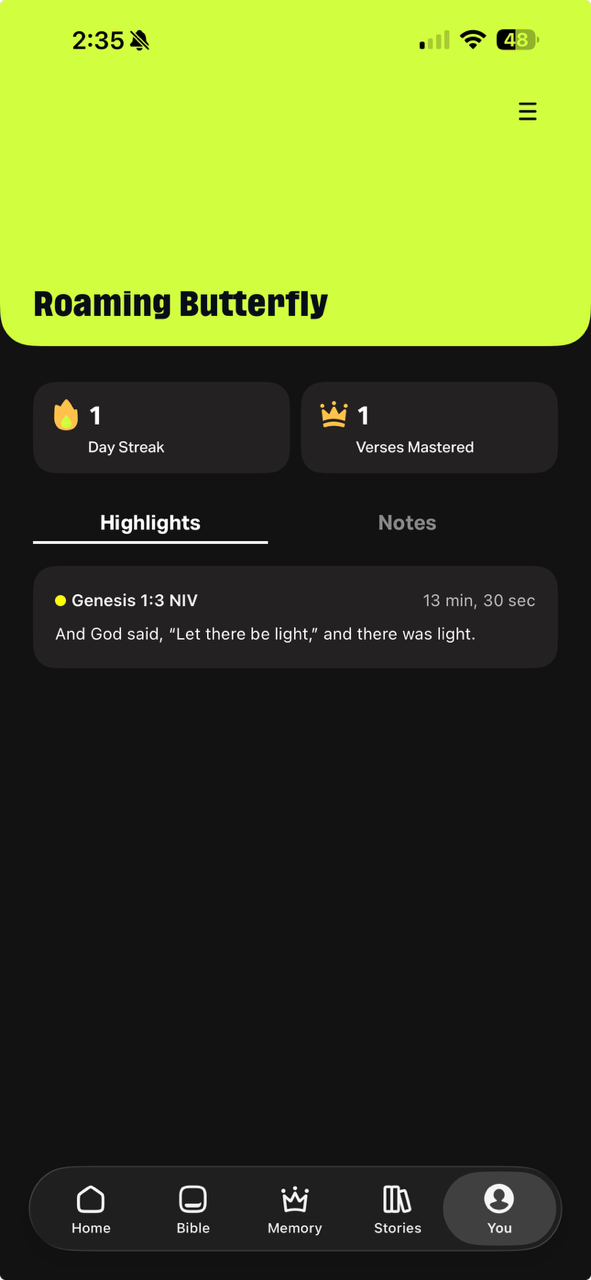
Once your profile is set up, you'll find it in the You tab at the bottom of the screen. Here's what you'll see:
- Display Name — Your chosen name, shown at the top.
- Day Streak — The number of consecutive days you've completed an eligible activity. Tap to go to your Streak page.
- Verses Mastered — The total number of Memory Verses you've completed. Tap to go to the Memory tab.
- Highlights and Notes — Bible passages you've saved while reading.
Related Articles
How did we do?
Bible Loop: Submit Product Idea
