Bible Loop: Memory Verse Leaderboard
The Memory Verse Leaderboard lets you compete with other Bible Loop players around the world by memorizing Scripture each week. Memorize a verse, earn your spot on the board, and see how you rank! Wh…

The Memory Verse Leaderboard lets you compete with other Bible Loop players around the world by memorizing Scripture each week. Memorize a verse, earn your spot on the board, and see how you rank!
What Is the Memory Verse Leaderboard?
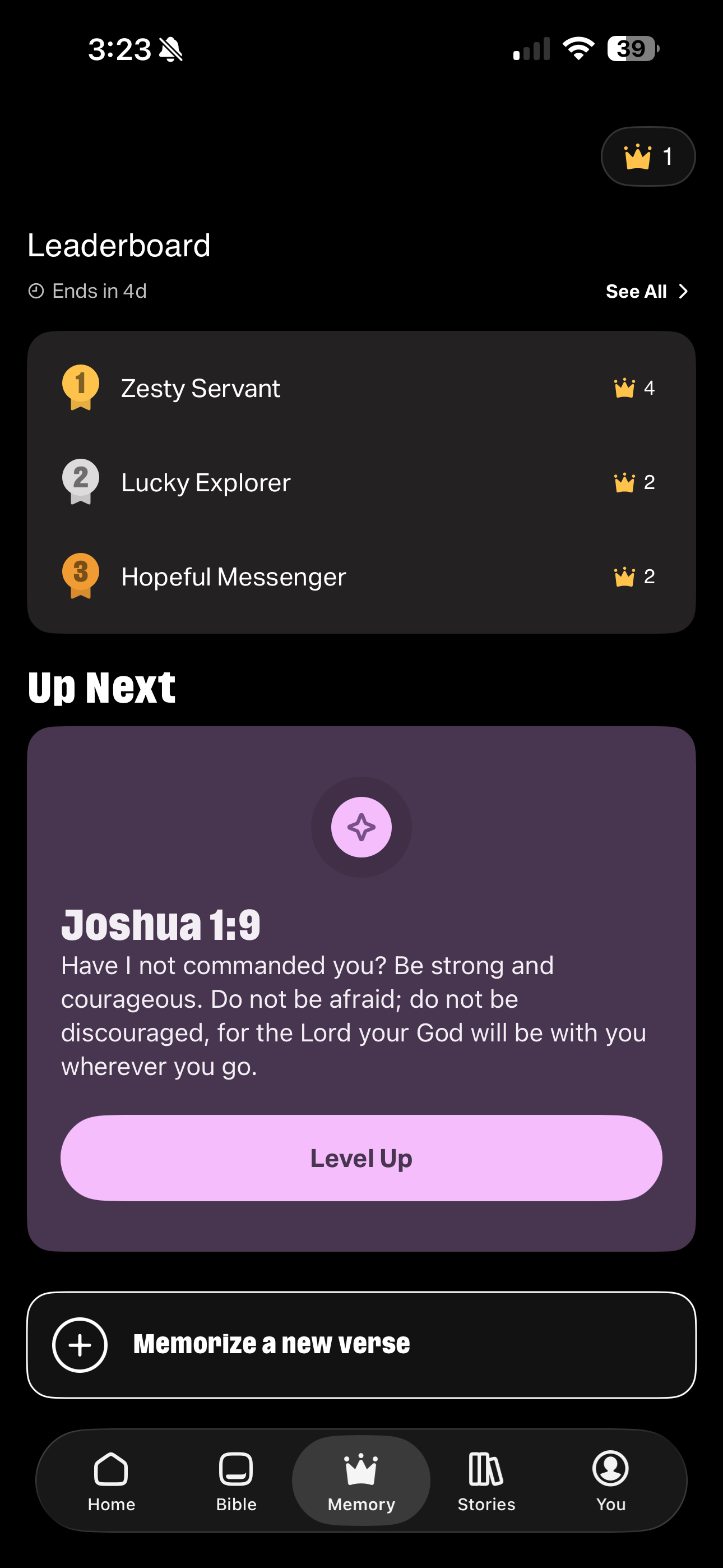
The leaderboard resets each week and ranks players based on their Memory Verse activity. You'll find it at the top of the Memory tab. Your name appears highlighted so you can easily find your rank among other players.
How to Join the Leaderboard
To appear on the leaderboard, you need two things:
- A User Profile — Create a profile so your display name can appear on the board. You can create one from the More tab or when prompted in the app. Learn more about creating a profile here.
- A Memorized Verse — Complete at least one Memory Verse during the current week.
Once you've done both, your name and score will appear on the leaderboard automatically.
Your Leaderboard Status
Your leaderboard experience depends on your profile and activity for the week. Here's what you might see:
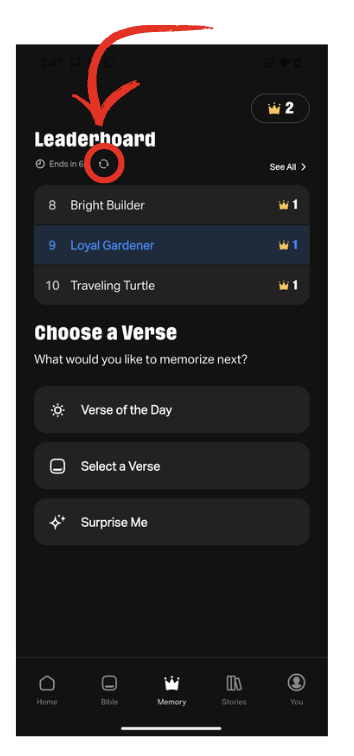
- You have a profile and have memorized a verse this week — You're on the board! Your name appears highlighted in the ranked list alongside other players.
- You have a profile but haven't memorized a verse yet this week — You'll see a prompt letting you know that memorizing a verse will add you to this week's leaderboard. Tap one of the Choose a Verse options to get started.
- You don't have a profile — You'll see a Create a Profile button above the Choose a Verse panel. Creating a profile is required to appear on the leaderboard.
- You don't have a profile and haven't memorized a verse this week — You'll see both prompts — create a profile and choose a verse — to get started.
Last Week's Results
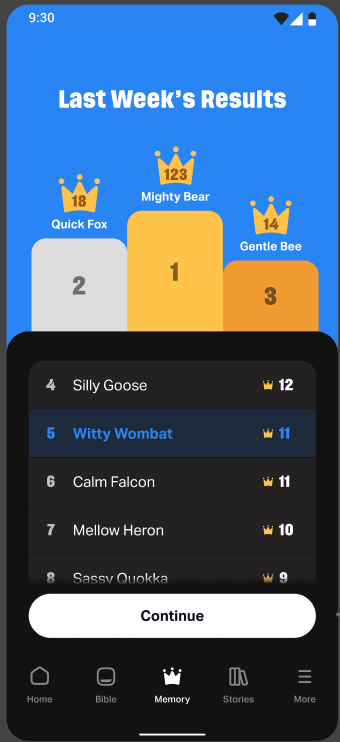
At the start of a new week, you'll see a Last Week's Results screen when you return to the Memory tab. It shows the top three players on a podium, along with the full ranked list from the previous week. Tap Continue to dismiss the results and start the new week. Once dismissed, last week's results won't appear again.
Related Articles
How did we do?
Bible Loop: Memory Verse
Bible Loop: Memory Verse Levels
