Bible Loop: Check-In

Check in with how you're doing and let God's Word meet you there.
What is Feelings Check-In?
Feelings Check-In is an experience that connects you to Scripture based on where you are emotionally. Use the slider to reflect how you're feeling, and Bible Loop will guide you through a short, personalized devotional built around God's Word.

How to Complete a Check-In
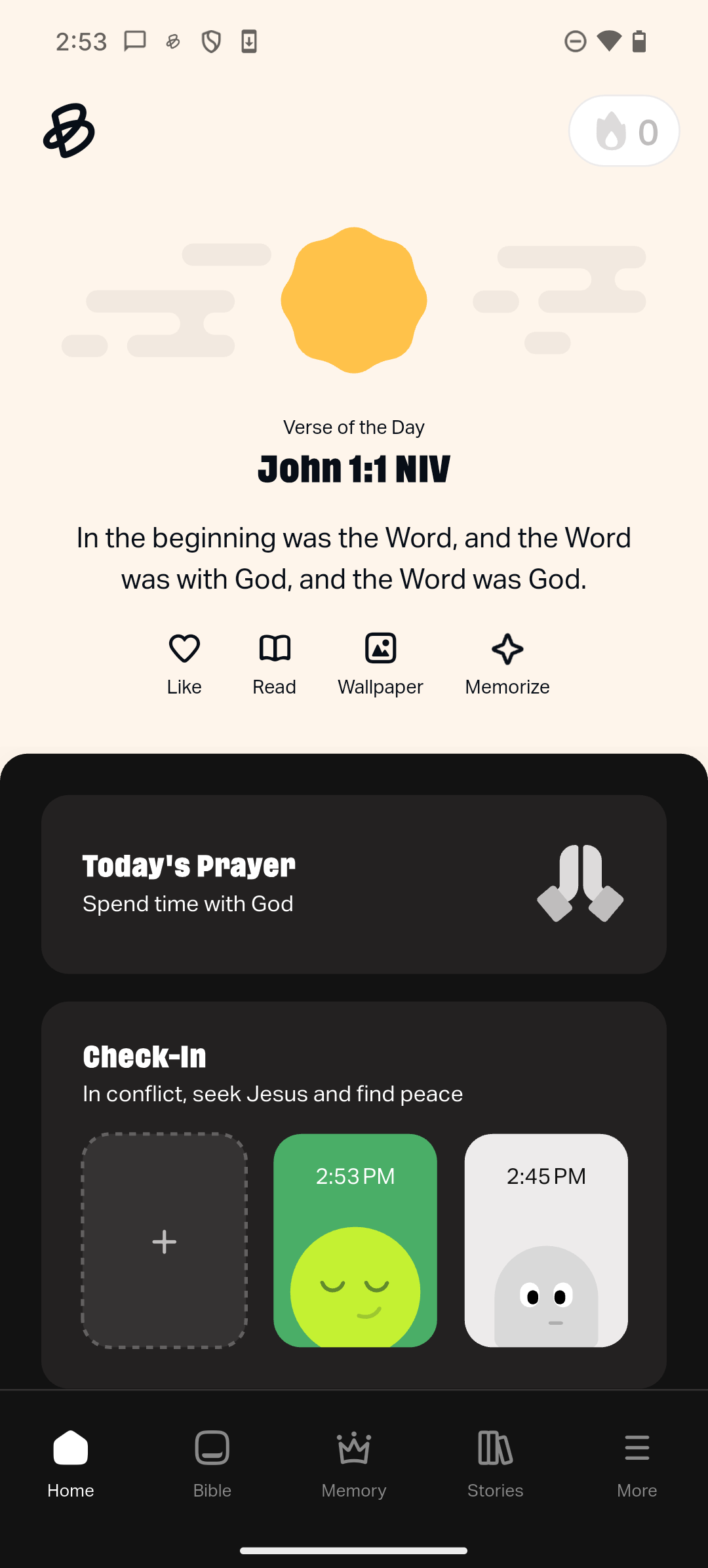
- On the Home screen, select the Check-In card.
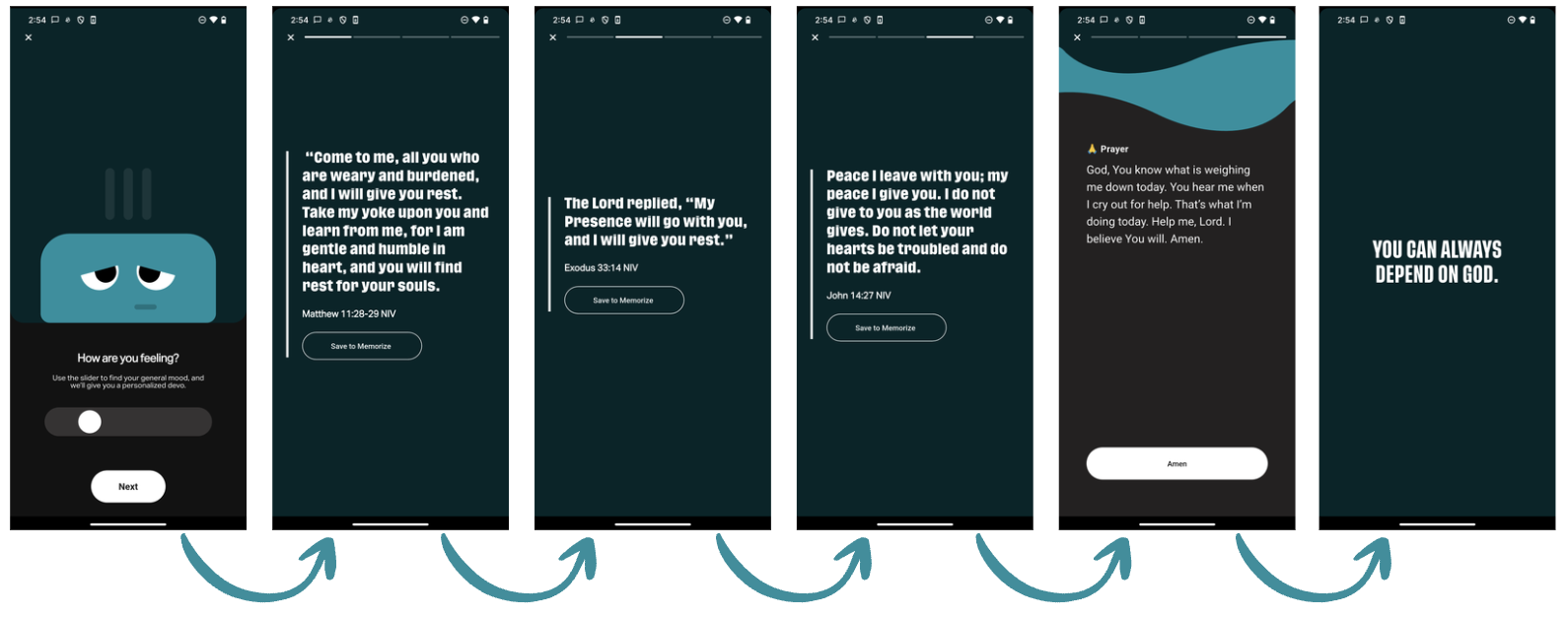
- Move the slider to reflect how you're feeling.
- Select Next.
- Tap the sides of the screen to navigate forward or backward through each screen.
What's Inside a Feelings Check-In
Each check-in includes a short sequence of screens:
- Scripture (three Bible verses), Prayer, and an Affirmation, all specifically written and curated from God’s Word to be relevant to how you’re feeling.
- Once you tap “Amen” on the Prayer screen, praying hands emoji confetti will appear.
- On each of the three Bible verse screens, you can choose to save that verse to your Memory Verse game to play later.
More Information on Check-In's
- Completing a Feelings Check-In counts as an eligible activity toward your Streak.
- Feelings Check-Ins can be completed as frequently throughout the day as you like.
- Check-Ins will display on the home screen, with the most recently completed to the left, and all previous Check-Ins are accessible by scrolling to the right.
- Your most recent Affirmation will be displayed in the Check-In area on the home screen.
- Check-Ins do not save from day to day.